

Reagent Documentation
Set up and operate Zaun Reagent, AI Adoption Security from procurement to production.
Reagent / Technical reference
What do you need to do?
Setup and integrations are covered in depth. Start with the task in front of you.
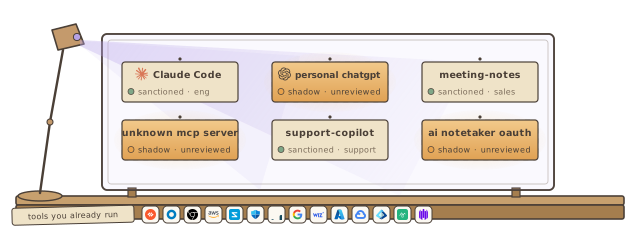
Reagent is how Zaun secures the AI your teams adopt. It connects to the tools you already run, inventories every AI app, agent, model, and MCP server in the building, quantifies the risk each one carries, enforces your acceptable-use policy where agents actually act, watches agent behavior, and ties AI spend to the people and tools behind it.
Quick Links
- Getting Started: the four setup steps, from your organization profile to your first discovery sweep
- How Reagent Works: the lifecycle at a glance and the terms the rest of these docs use
- Connect Your Stack: every tool Reagent connects to, grouped the way the Connections page groups them
The lifecycle
Reagent runs AI Adoption Security as one loop. Each stage is a page in the Reagent sidebar. These docs cover the first stage in depth, because everything downstream reads from what you connect.
| Stage | What it does | In Reagent |
|---|---|---|
| Connect | Connect your identity provider, EDR, AI tools, gateways, cloud accounts, network, and developer platform. No new sensors. | Connections. Documented under Connect Your Stack. |
| Discover | Inventory every AI in the building, sanctioned or shadow, and attribute each one to a person and team. | Discover |
| Assess | Quantify the risk and value of every AI product, and see which controls hold that risk down. | Assess |
| Enforce | Publish your AI acceptable-use policy and wire every clause to the hooks, behavioral detectors, and gateway rules that enforce it. | Enforce |
| Monitor | Watch agent behavior with ABBA, escalate what matters, and fire response actions with the authority you grant. | Monitor |
| Optimize | See AI spend by tool, team, and person, set budgets, and reclaim what is not used. | Optimize |
Need Help?
- Email [email protected]
- Book a demo to see Reagent on your own AI estate